Connect your CASSY to your Wi-Fi
The CASSY App makes set-up and measurement easier: Wi-Fi login details can be transferred wirelessly – and even to several CASSY devices at the same time. You can then use the same app to measure and analyse the results.
You will need: your CASSYs, your Wi-Fi login details (network name and password) and a device running iOS or Android.
Step 1: Install CASSY App


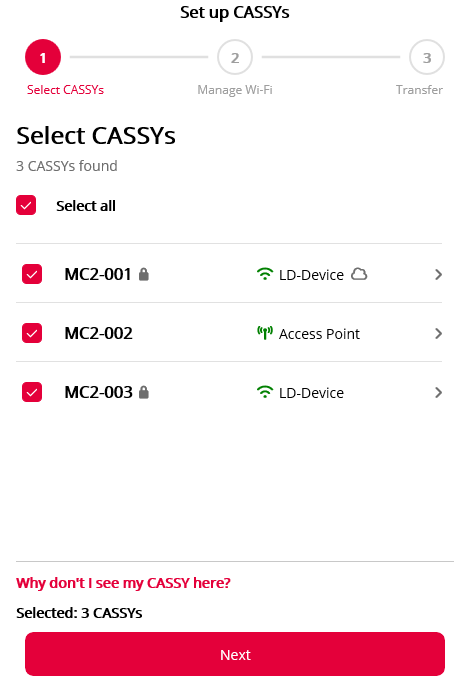
Step 2: Open the Wi-Fi setup in the CASSY app
If you have installed the CASSY App on this device, click here: Open the Wi-Fi setup in the app
If you have installed the CASSY App on another device, use that device to scan the QR code:
Step 3: Enter Wi-Fi login details
Follow the instructions in the app.
Is your CASSY not showing up in the app?
- First, check on the CASSY to see if the QR code for setting up the Wi-Fi is shown on the display. You'll find it here: settings menu (top right) WiFi Connect to new WiFi
- Check that the CASSY's firmware is up to date.
What you can do with your CASSY now
You have successfully connected your CASSY to the Wi-Fi. Here's what you can do next:
Measuring with the CASSY App
Now open the CASSY App on your tablet, smartphone or PC. To connect to your CASSY, simply enter its four-digit PIN.
Discover our digital solution
Accompany experiments with the interactive Lab Docs experiment guides. CASSY is seamlessly integrated into the guides.
View the CASSYs of all experiment groups live in the CASSY Control Center. Present and compare their results.
Save time in preparation with our experiment library and the digital inventory of your equipment collection on our online platform LeyLab.
To get started, register your institution with LeyLab for free.